Designing a Seamless Way to Share Dashboards by Email, With New Print-Friendly Layout Options
Overview
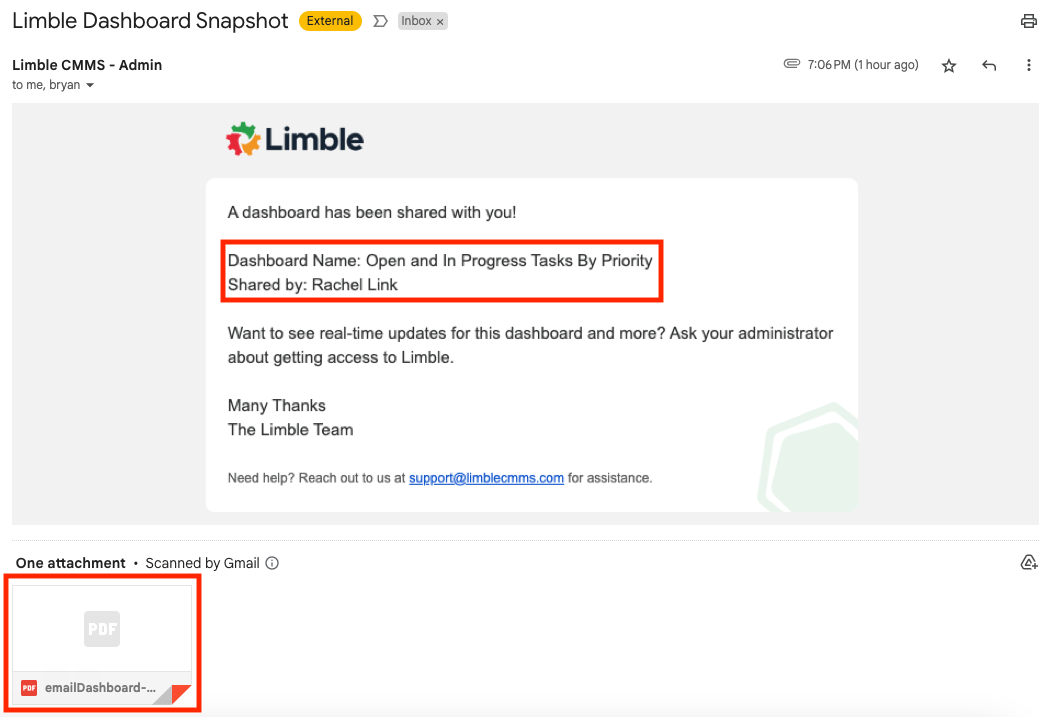
Dashboards at Limble are more than just collections of data—they’re storytelling tools. Until now, users could download a snapshot of their dashboard as a PDF, but sharing that data with external stakeholders was tedious. Users would have to download, attach, and email files manually.
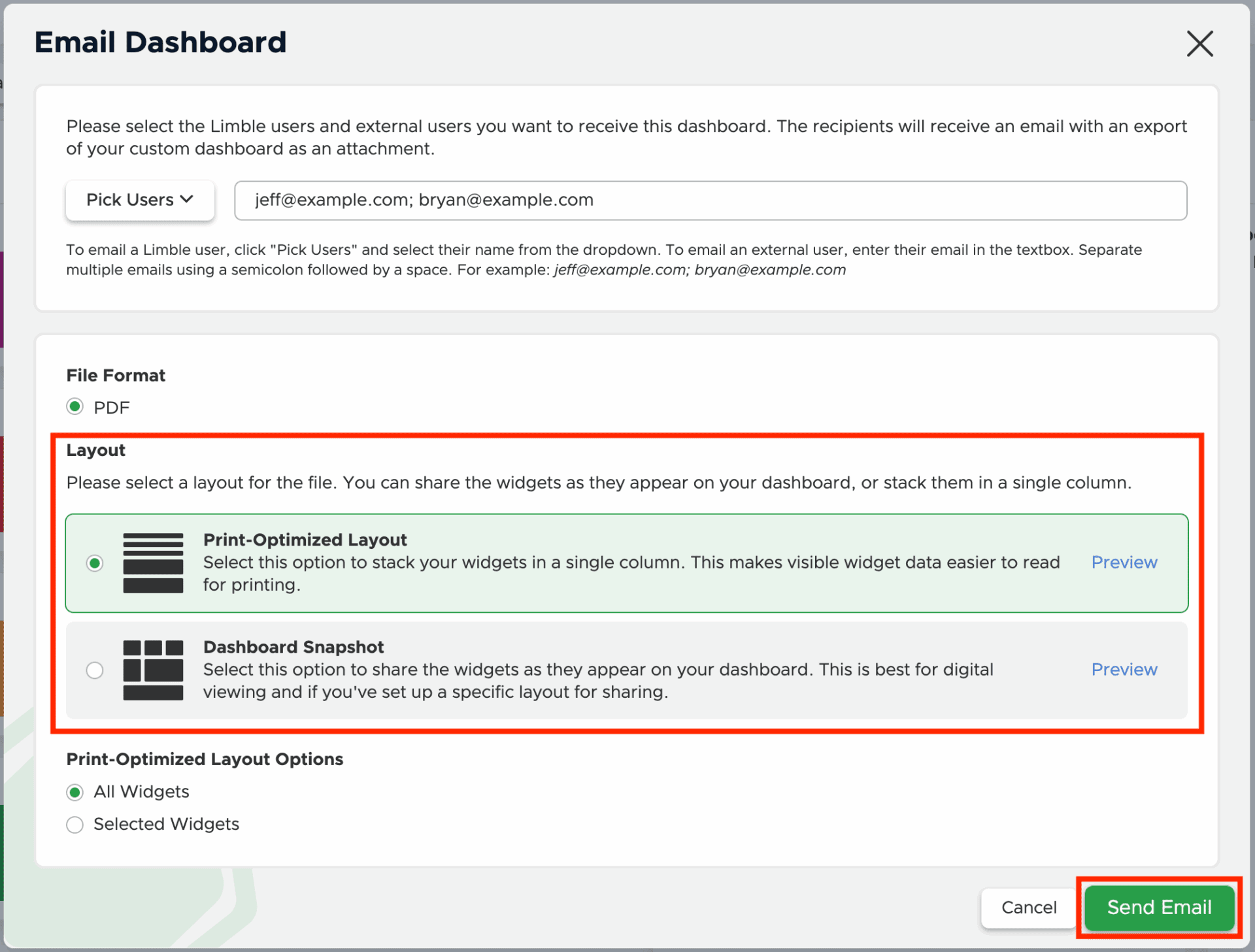
To support cross-functional collaboration and executive reporting, we introduced a new feature that allows dashboards to be emailed directly from Limble. We also introduced a new print-optimized layout for PDFs to improve legibility for recipients who may not be familiar with the Limble interface.
The Challenge
Our users needed a faster, more professional way to share dashboard insights with others—especially people outside their organization who don’t use Limble.
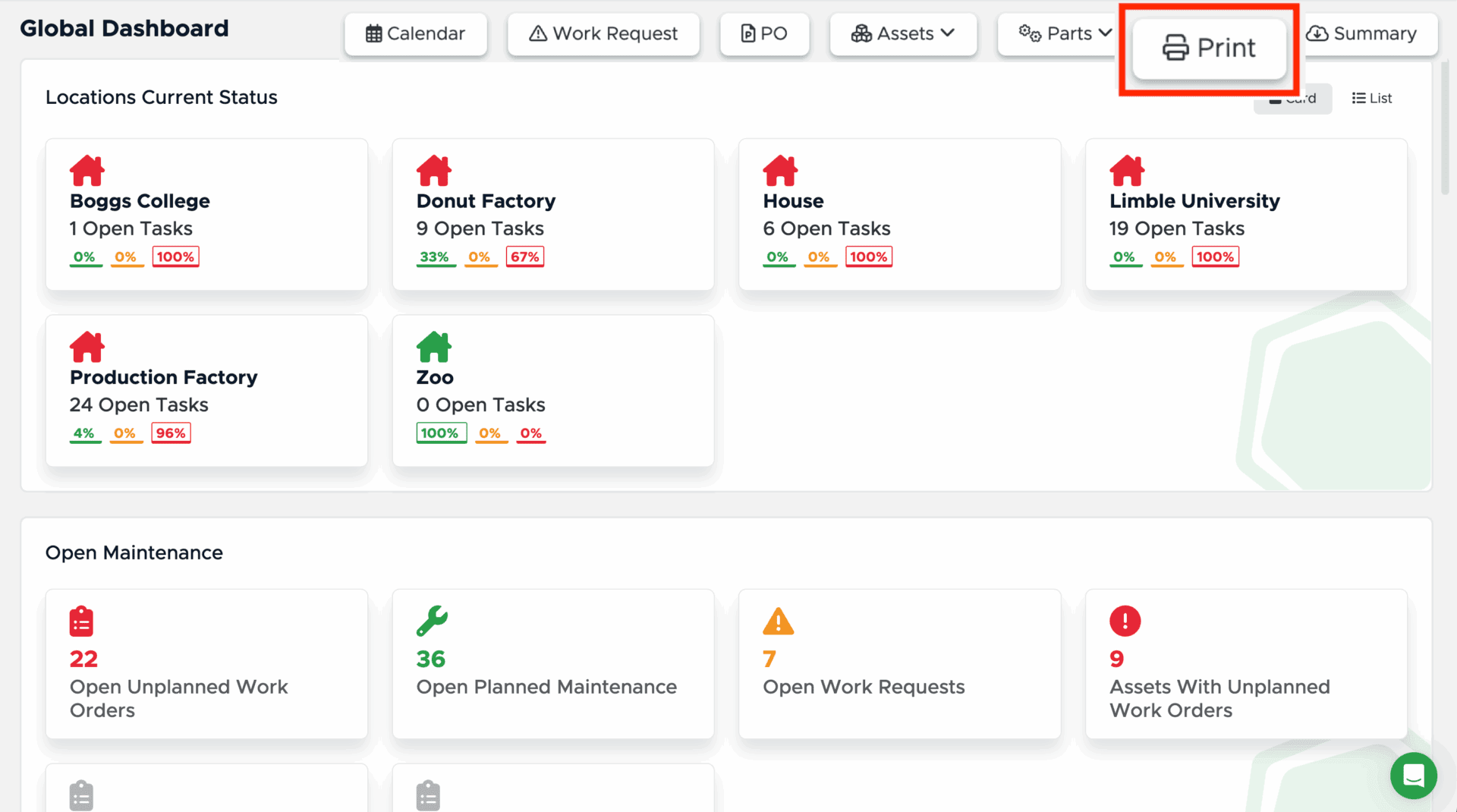
The existing “Download PDF” workflow had limitations:
- It only used a snapshot layout, which could be visually overwhelming when printed
- It required manual download and distribution
- It offered no flexibility in selecting which widgets to include
We set out to make dashboard sharing:
- Direct and effortless
- Flexible enough for internal and external use
- Optimized for readability and clarity, especially in print or presentations
- Respectful of the user’s visual preferences and widget layout
My Role
As the lead designer on this initiative, I:
✅ Designed the end-to-end experience for emailing dashboards from within the app
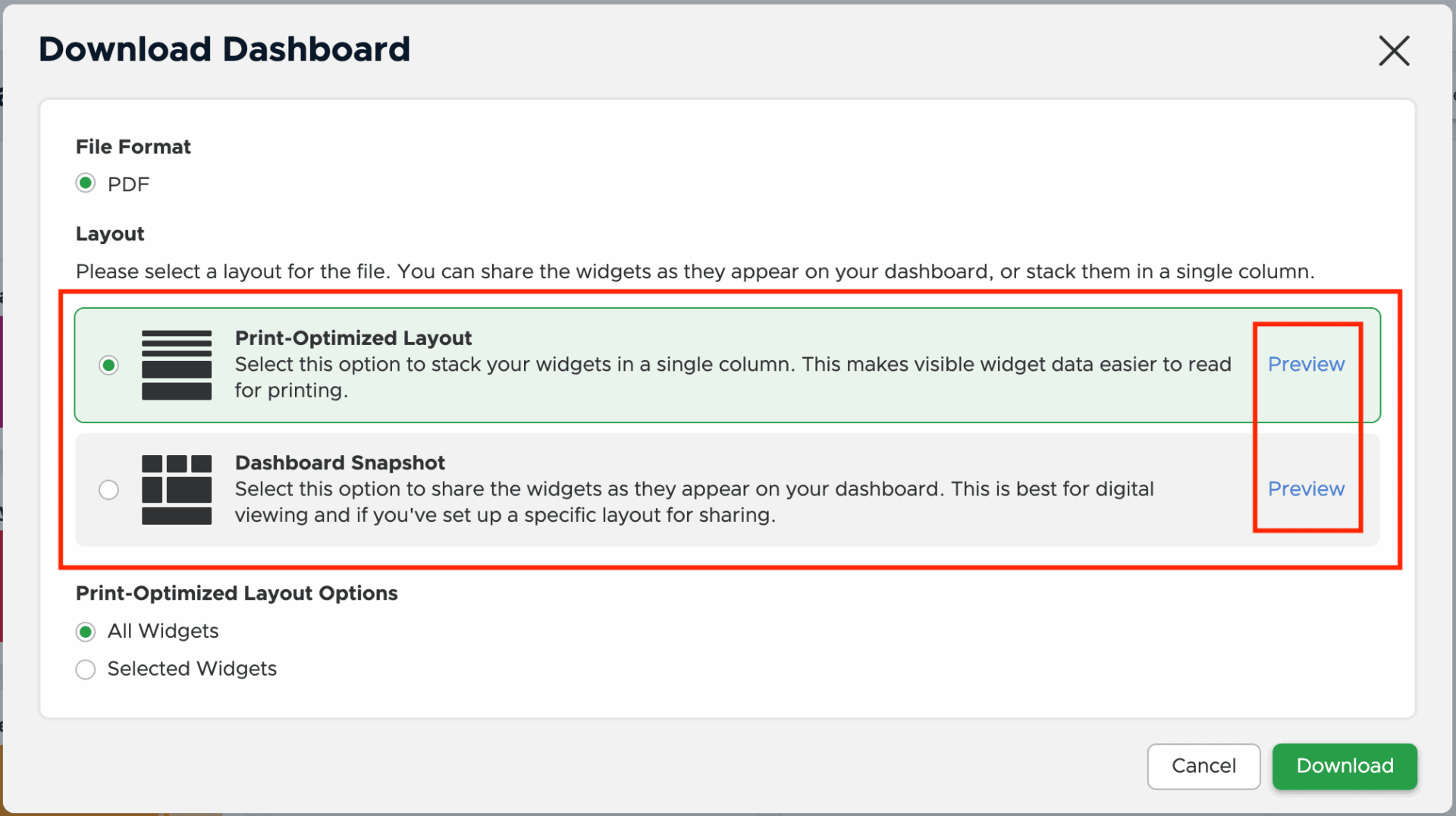
✅ Introduced dual layout modes for PDFs: Print Optimized and Snapshot
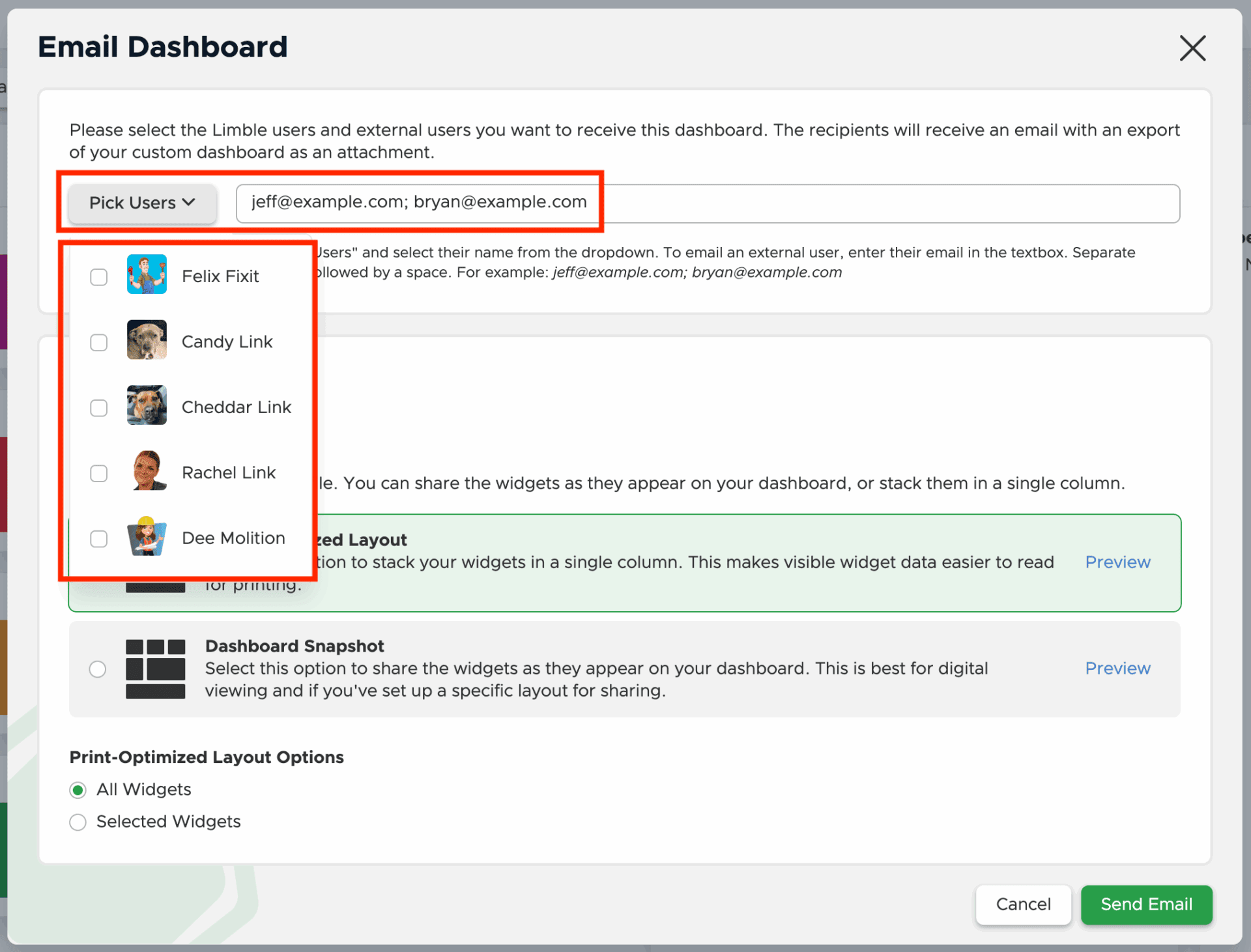
✅ Created UI for selecting recipients, including support for non-Limble email addresses
✅ Added widget selection capabilities to customize PDF output
✅ Designed previews for both layouts so users could make confident sharing decisions
✅ Collaborated with engineering on layout logic and error handling
✅ Provided visual styling and UX rationale for both formats
The Solution: Easy Email + Flexible Layouts
Users can now share dashboards in just a few clicks:
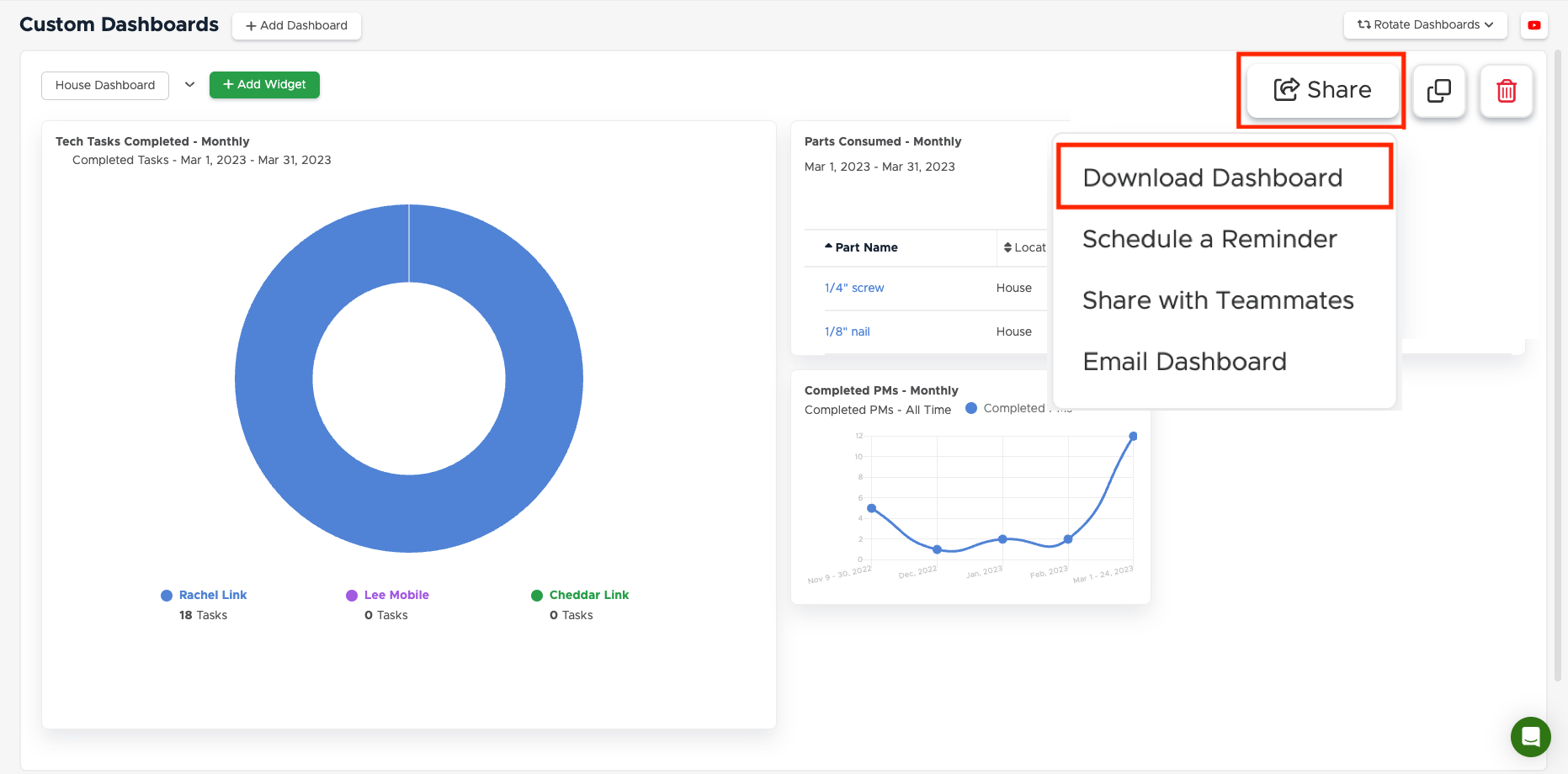
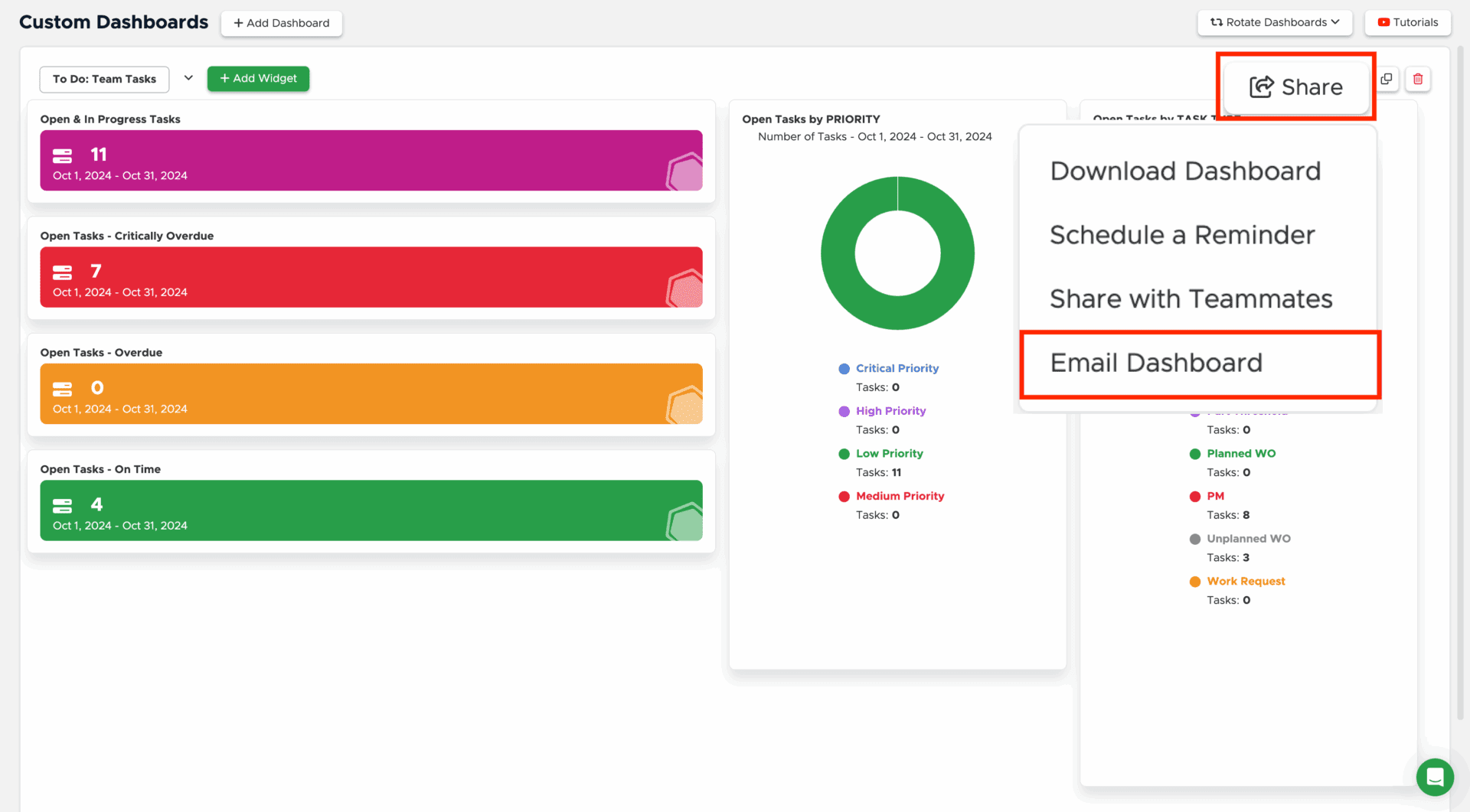
- Email Dashboard: From the Share dropdown, users can select “Email Dashboard” to send a PDF version directly to Limble users or any external email address.
- Multiple Recipients: Emails can be sent to multiple users at once using semicolon-separated addresses.
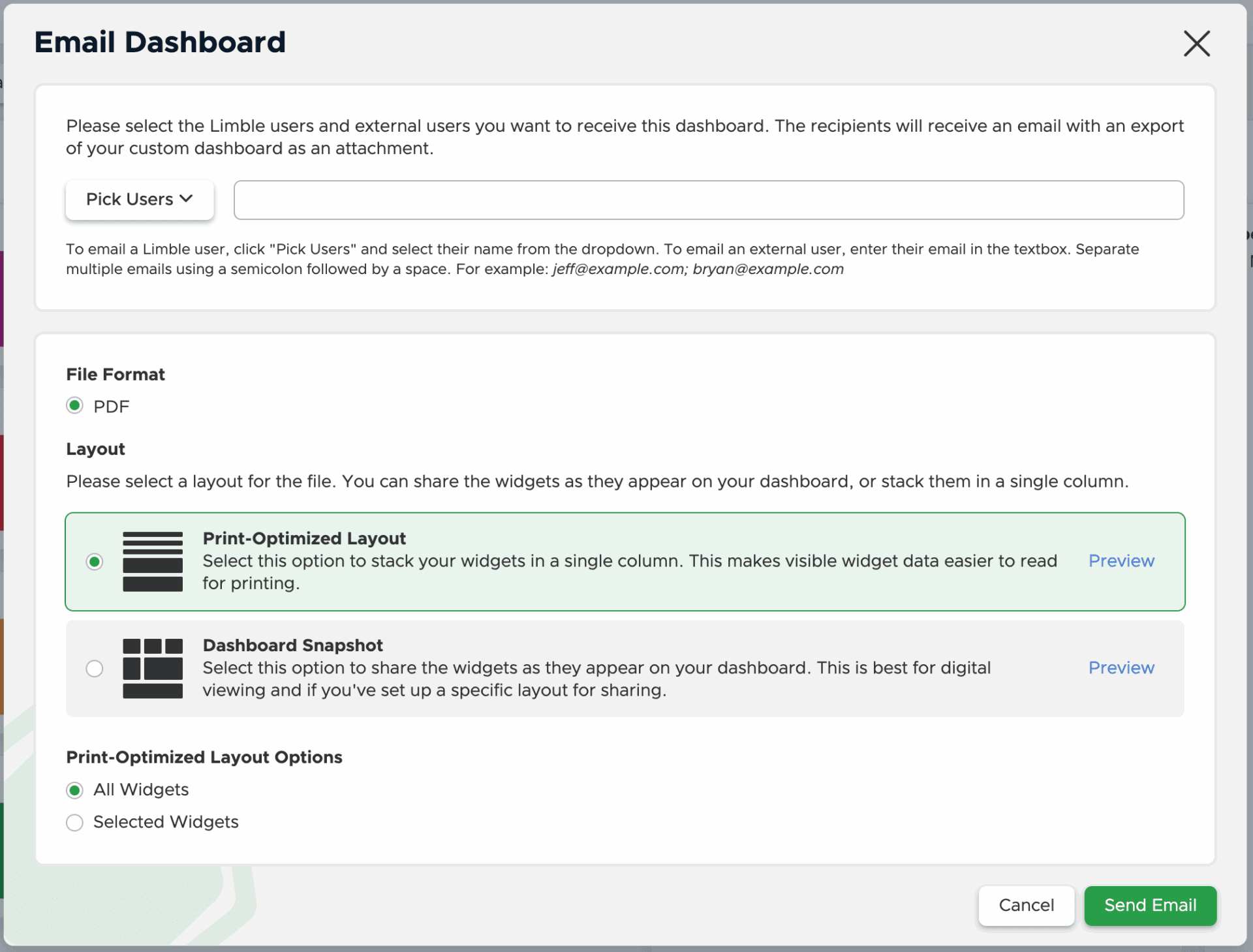
- Two Layout Options:
- Print Optimized: A clean, single-column layout that stacks widgets for readability. Ideal for stakeholders, presentations, or physical printouts.
- Dashboard Snapshot: Preserves the original grid layout exactly as it appears in-app—great for internal visual fidelity.
- Widget Selection: Users can choose to share all widgets or only a few select ones.
- Preview Before Sending: Users can preview the PDF in either format before hitting send, ensuring clarity and confidence.
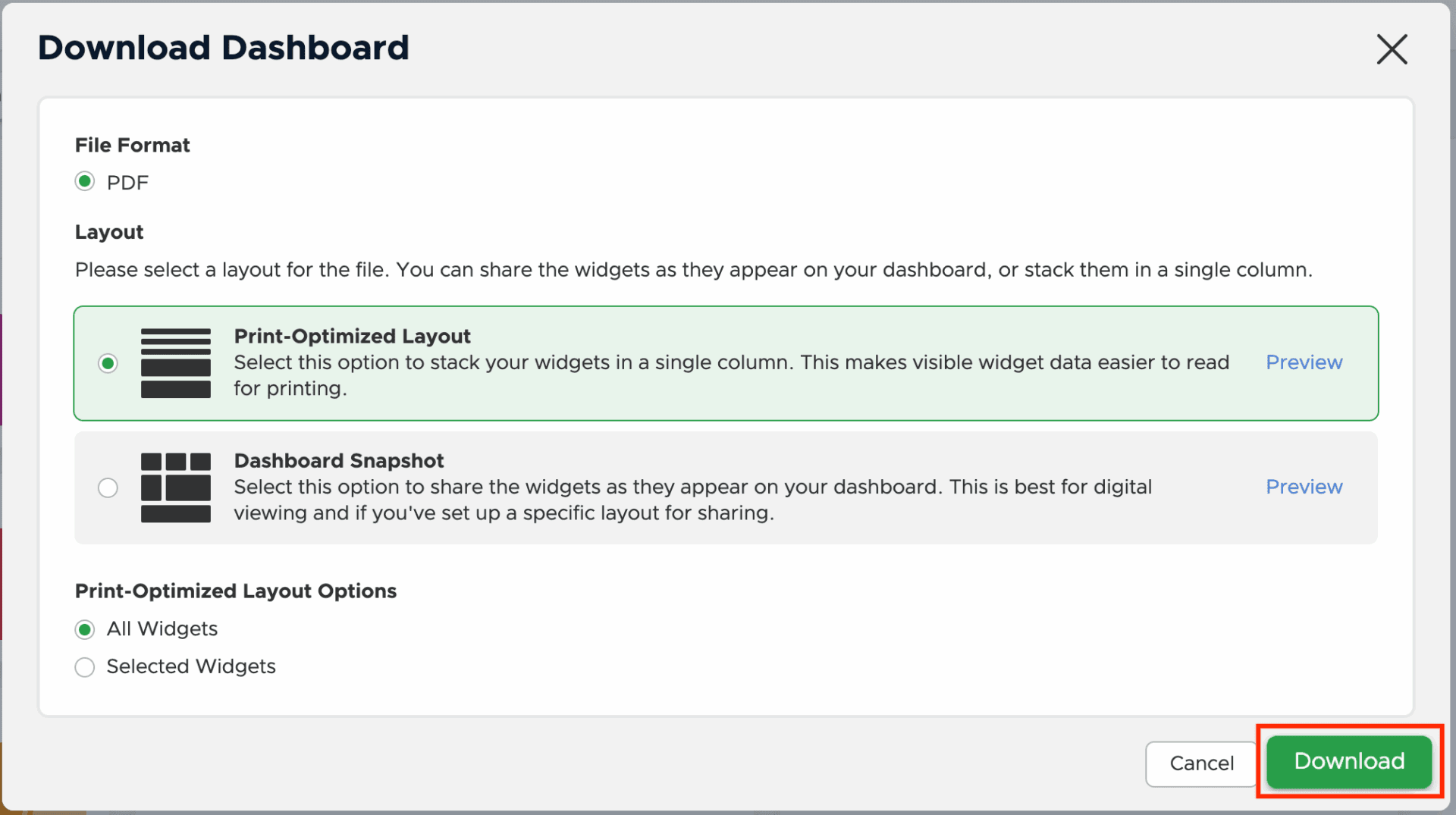
The same PDF format options are now also available when downloading dashboards for offline storage.
Impact
This release makes it easier than ever for Limble customers to share insights and highlight progress with stakeholders:
✅ Reduced friction in reporting workflows
✅ Enabled broader visibility for non-Limble stakeholders
✅ Supported presentation-quality printouts
✅ Increased PDF usage and dashboard engagement
✅ Created a scalable framework for future share/export tools
Ongoing Contributions at Limble
This project reflects my continued focus on improving how Limble users communicate value and collaborate across teams. I’m also:
- Designing scalable features that work across user roles and device types
- Strengthening UI patterns for cross-platform actions (share, export, filter)
- Collaborating closely with product marketing on release readiness and messaging
- Listening to feedback to inform iterative improvements
Let’s Talk
I’d be happy to walk through the process and show layout explorations.